
Manage all your chats
Capture messages, build automatic rules and understand your groups with statistics. Nothing gets lost — even if they delete it from the chat. All from your Android.
Three pillars, one app
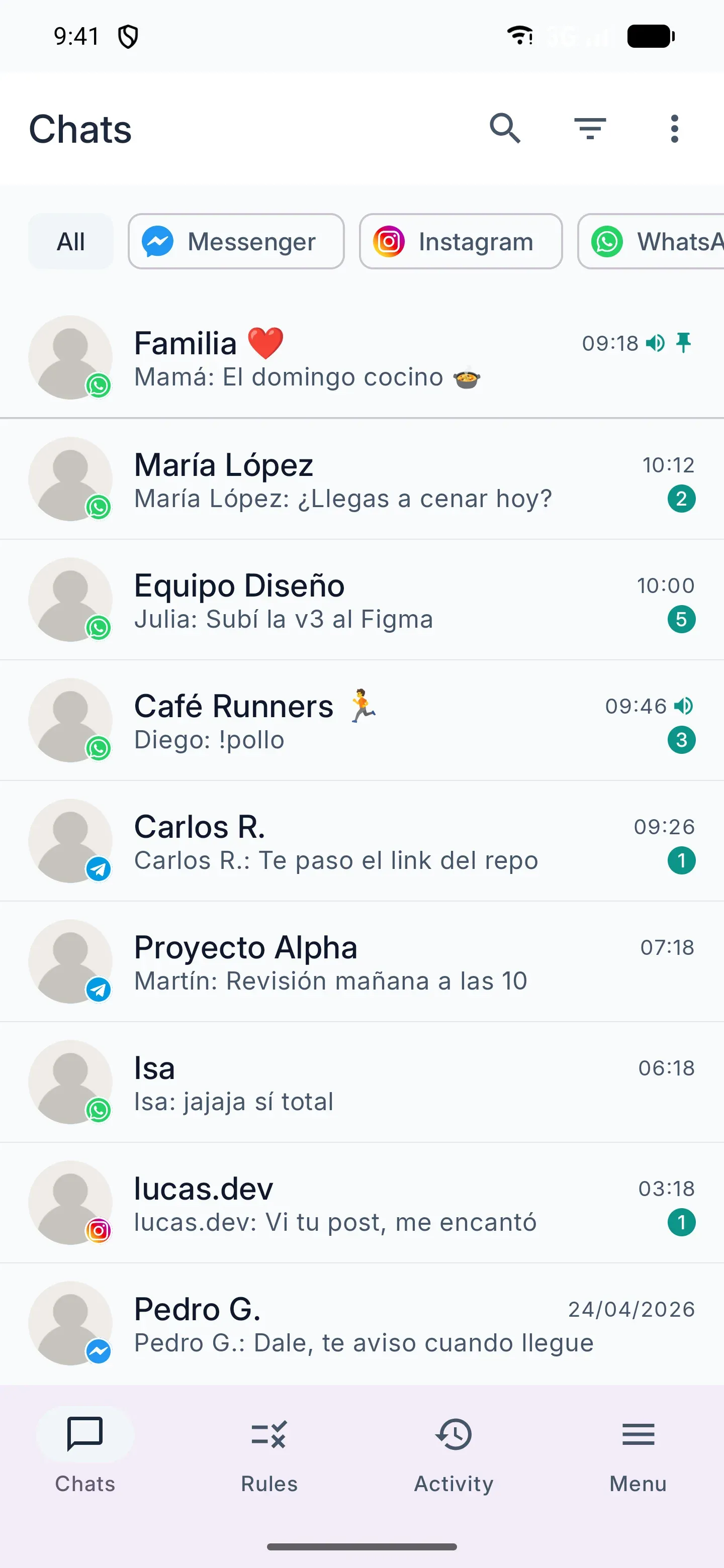
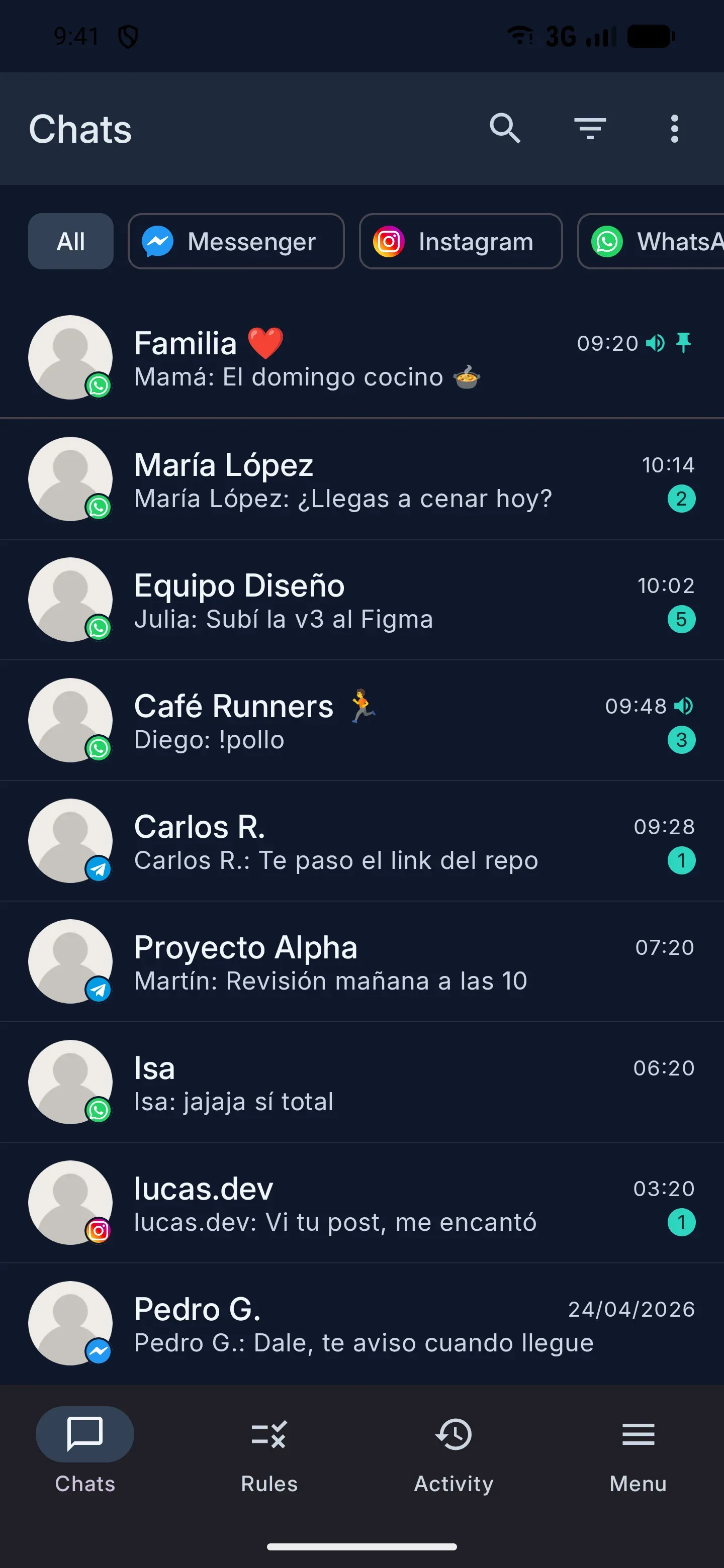
Everything in ChatManager rests on three core features. The rest are extensions built on top of them.
Deletion-proof capture
Even if the sender deletes a message from the chat, it stays saved on your device. All your conversations in a local history organized by chat, impossible to overwrite.
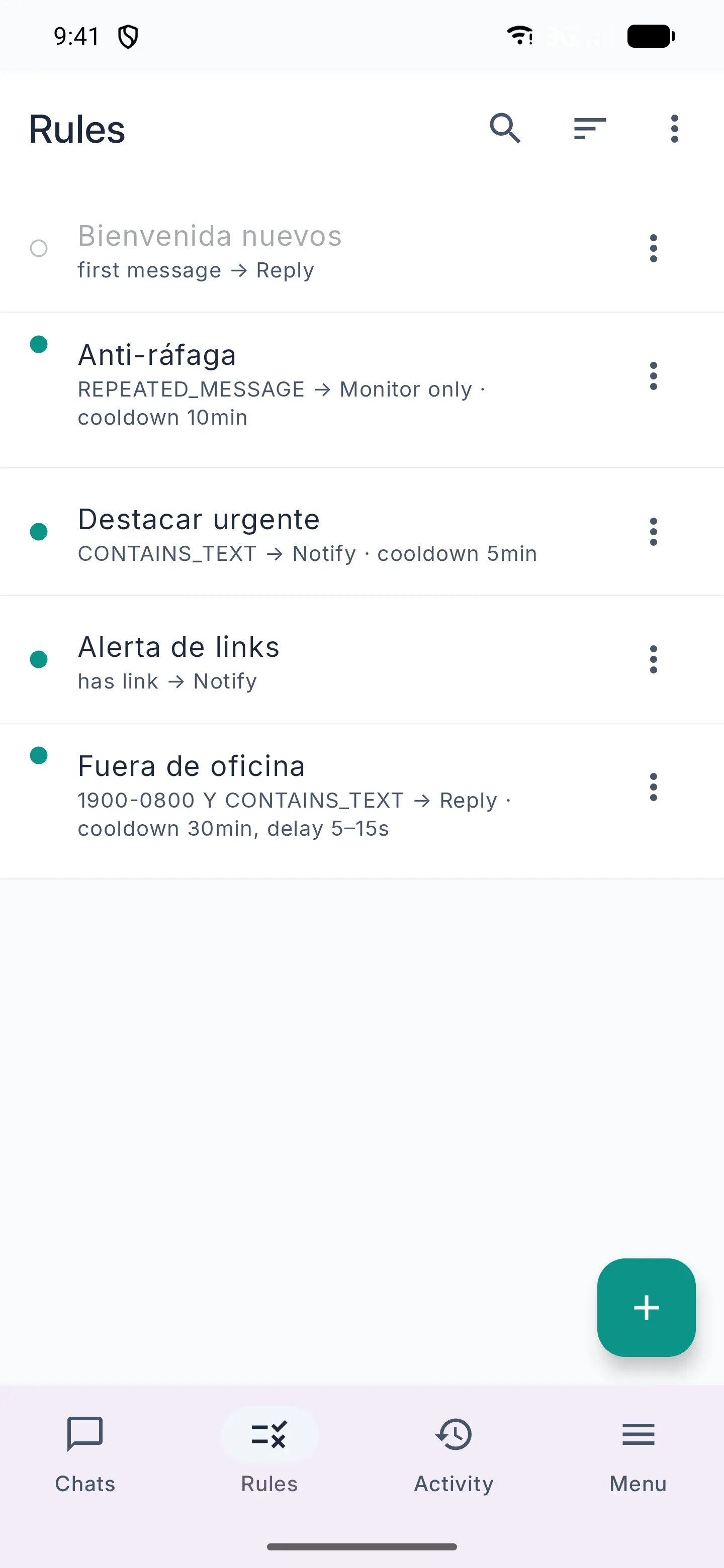
Automatic rules
Combine conditions (text, schedule, sender, links, keywords) with actions: reply automatically, alert you or just monitor.
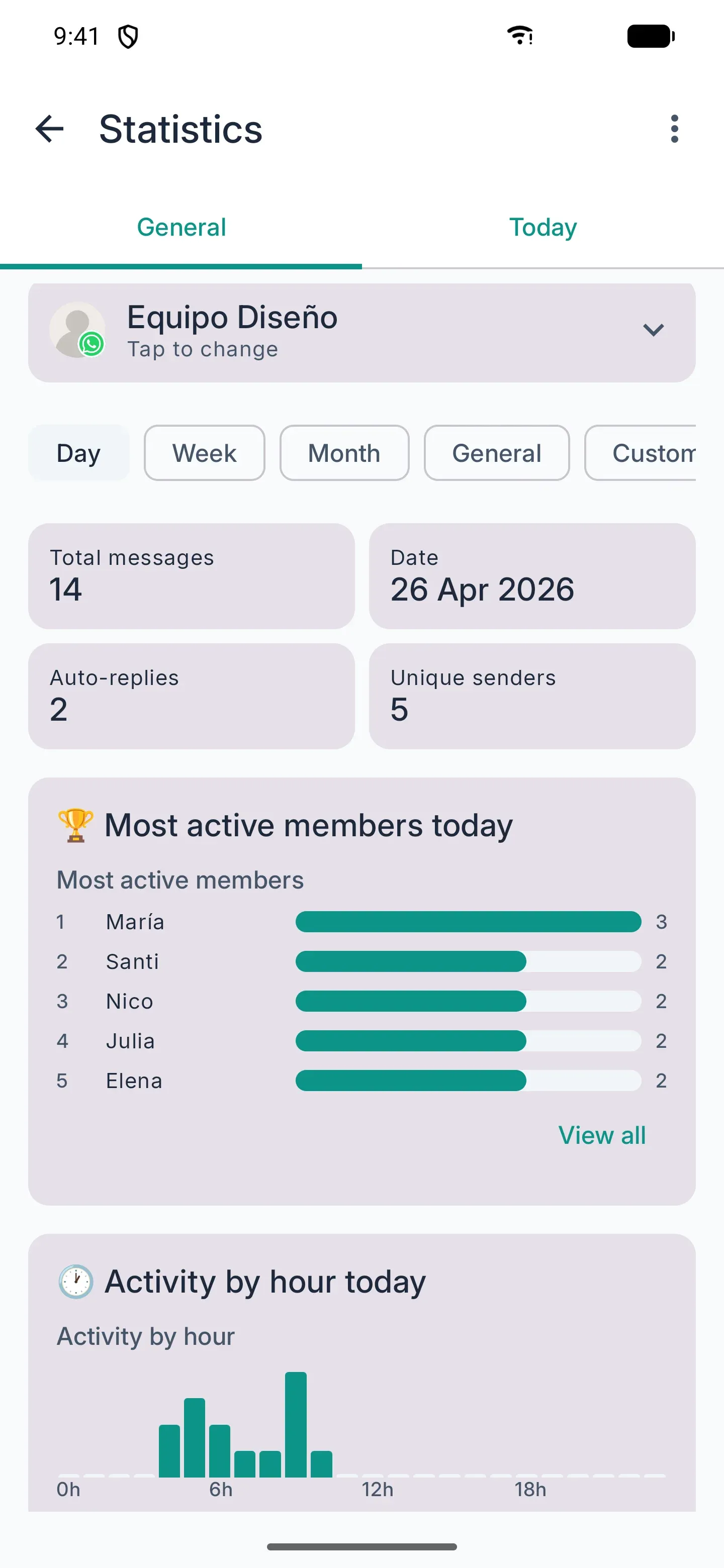
Statistics
Member ranking, hourly distribution, weekly trends and exportable PDF reports. Understand how your group moves.
And more everyday tools
Extensions built on top of capture and rules to cover specific use cases.
Smart alerts
Get highlighted notifications when a keyword, link or pattern you care about shows up.
Banned words
Build a list of sensitive words and get an alert whenever they show up in your chats. Great for moderating communities.
Starred messages
Star important messages and find them later in a dedicated view whenever you need them.
Member directory
See who takes part in each group and keep notes and tags per member so you never lose important context.
PDF reports
Export your statistics as shareable PDF reports: per-chat activity, sender rankings and period summary.
Backup & export
Automatic backups and manual export/import with HMAC integrity verification. Your data, under your control.
Your messages never leave your phone
ChatManager reads the notifications Android already shows you and stores them locally. We do not upload messages to any server. We do not sell data. We do not train models.
The only optional sync —if you create an account— is your rules and banned words, tied to your email so you can restore them on another device.
On-device only
Messages, history and rules live in your Android app database. No central server processes your conversations.
Biometric lock
Optionally require fingerprint or PIN every time you open the app. Your chats are not visible if someone grabs your phone.
Your data, exportable
Export everything to an HMAC-SHA256–signed ZIP whenever you want. No proprietary formats or external dependencies.
Full wipe
One button wipes everything: history, rules, avatars and —if you have an account— remote data too.
Built for daily use
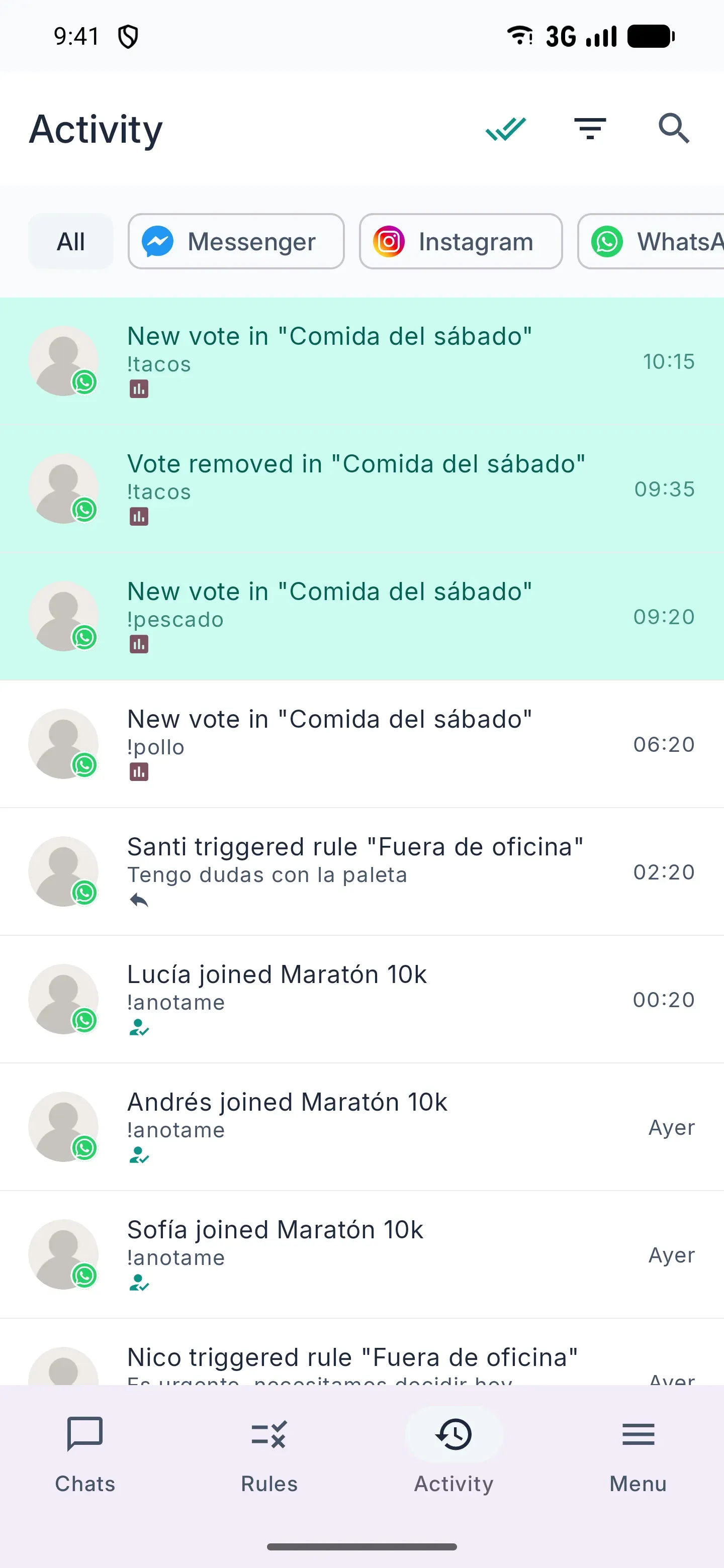
Four screens you will use every day: your chats, your rules, your numbers and recent activity.
Start free, grow with Premium
No commitments. Cancel anytime from Google Play.
Free
Everything essential for personal use, with optional ads.
- Capture and rule automation
- Banned words
- Starred messages
- Local history
- Per-chat stats
- Local backup and export
- Rewarded ads to unlock extras
Premium
For community admins and power users.
Regional pricing by country · 7-day free trial on sign-up
- Everything in Free
- No ads
- Cross-device sync
Frequently asked questions
Can't find your answer? Email us at getchatmanager@gmail.com.
Why does it need access to notifications? +
ChatManager uses Android's notification access permission to read the messages you receive in your messaging apps and apply automatic rules. Without this permission the app cannot work. Messages are never sent to any server — everything is processed on your device.
Do my messages leave my phone? +
No. All history, rules and statistics are stored locally in the app database. We do not have servers that receive your messages. The only data that is optionally synced —only if you create a Premium account— are your rules and banned words, so you can restore them on another device.
Does it work in the background? +
Yes, but Android may restrict background execution to save battery. The app guides you during setup to exclude itself from battery saver so that rules work even with the screen off.
Which messaging apps does it support? +
The most popular messaging apps on Android that emit notifications compatible with Android's standard. You can toggle each one on or off from settings.
Can auto-replies get me banned? +
Using auto-replies on messaging apps can violate their terms of service and is your responsibility. We recommend using them with care: cooldowns, time limits and only in chats where they add real value.
How much does it cost? +
The app is free: unlimited rules, banned words and starred messages, plus local history and stats. Some extra features unlock by watching a short ad. Premium removes all ads and adds cross-device sync. When you create an account you get a 7-day free Premium trial.
How do I export or back up my data? +
From the Backup & export menu you can create manual or automatic backups. You can also export everything to an HMAC-signed ZIP (conversations, messages, rules, banned words, statistics) and import it on another device.
How do I cancel my subscription? +
Subscriptions are managed from your Google Play account. Cancelling is immediate and you keep Premium until the end of the paid period.
Start managing your chats today
Download ChatManager for free and try it with your current chats. 7-day Premium trial included on sign-up.
Get it on Google Play